An AI-powered academic writing assistant that helps students draft, structure, and refine technical papers — complete with automated citations, reference sourcing, and plagiarism checking. We designed the entire product from the ground up.
Writing academic papers is one of the most time-consuming parts of being a student. Between researching sources, structuring arguments, formatting citations correctly, and checking for unintentional plagiarism, a single assignment can consume days of work — most of it mechanical rather than intellectual.
The founders of Ceda AI wanted to build a tool that handled the structural and mechanical side of academic writing, freeing students to focus on the thinking. They had the AI and the backend logic — but no product interface. No wireframes. No designs. No visual identity for the platform at all. They came to KCT with an idea and a working model, and needed us to turn it into something students would actually want to use.
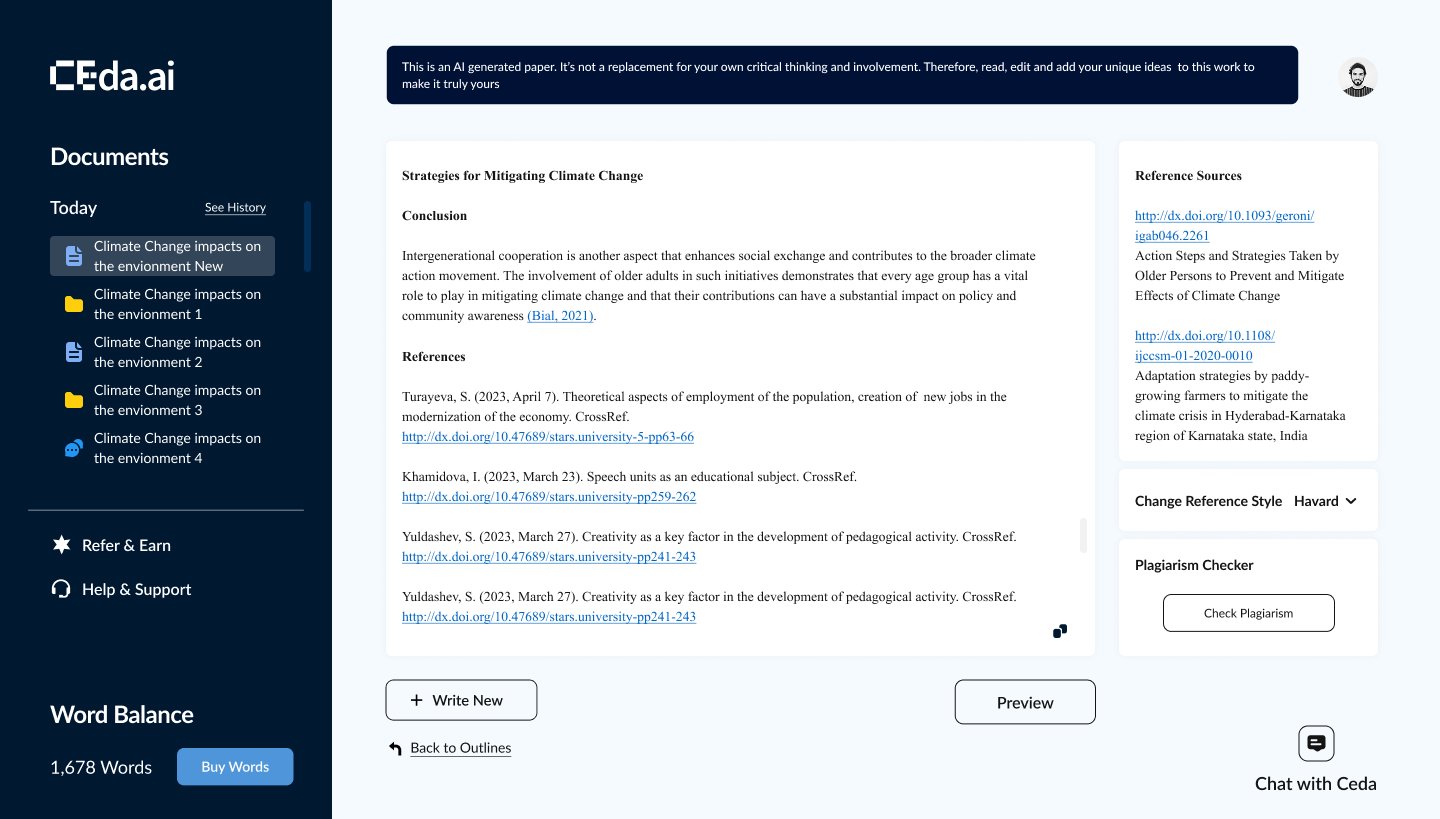
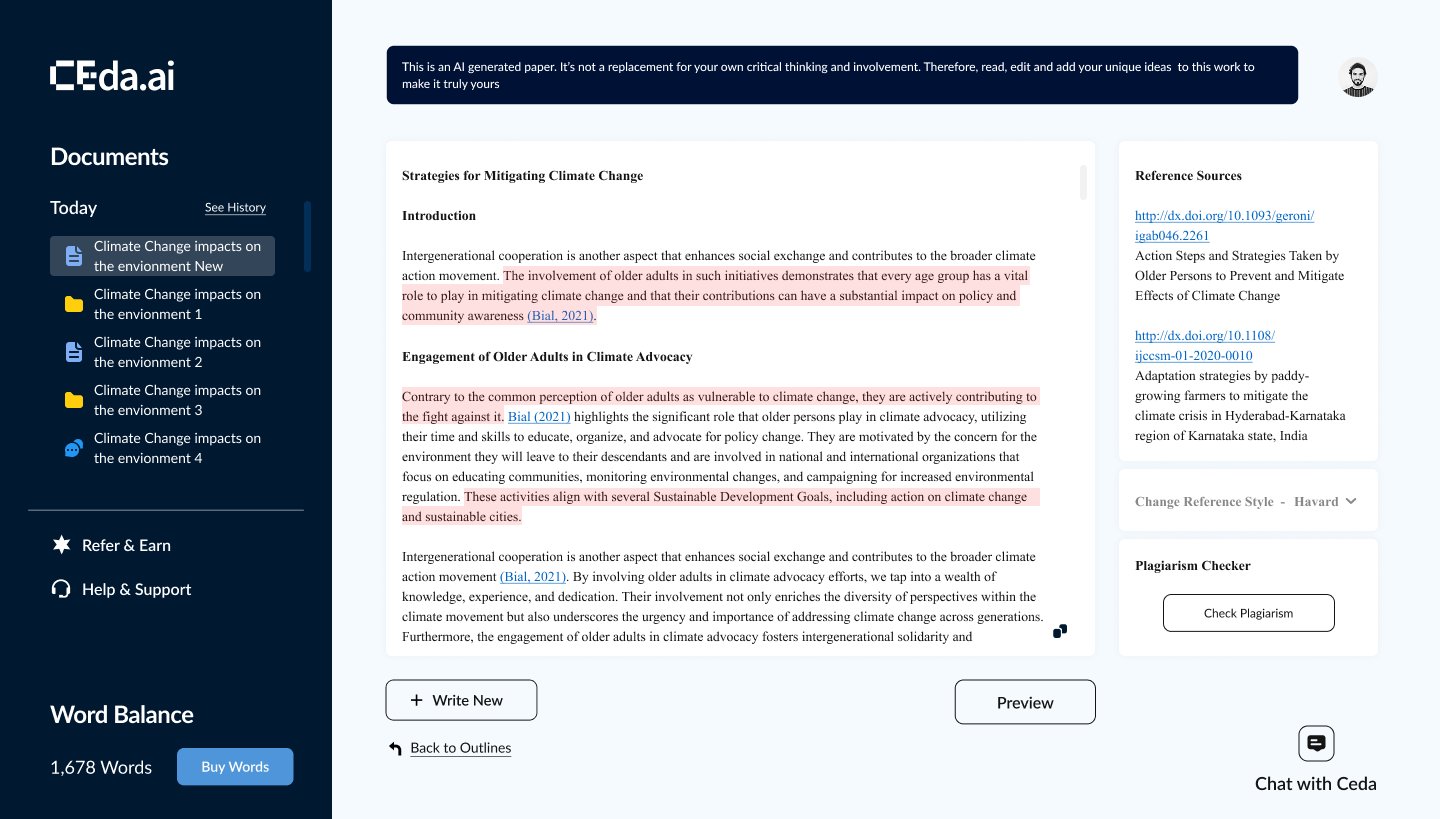
We designed the complete product interface for Ceda AI — every screen, every interaction, every state. The platform needed to feel like a focused writing environment, not a cluttered AI tool, so we built the UI around a clean three-panel layout: a document sidebar for managing multiple papers, a central writing editor where AI-generated content appears alongside the student's own input, and a right-hand panel for reference sources and tools.
The reference panel was a critical piece. Ceda AI doesn't just generate text — it pulls from real academic sources and links them inline using proper citation formats. We designed the citation system to support style switching (Harvard, APA, and others) with a single click, so students aren't manually reformatting references every time a professor has a different preference.
We also designed the plagiarism checker interface, a word balance and credit system that lets students track their usage, document history and version management, and a conversational "Chat with Ceda" feature for students who prefer to interact with the AI through natural prompts rather than structured inputs.
The biggest design challenge was density. Academic writing tools need to surface a lot of information — source links, citation metadata, word counts, plagiarism flags, document structure — without overwhelming a student who's trying to think clearly about their argument.
We solved this by layering information progressively. The default view is a clean writing surface. Citations appear inline but don't dominate. The reference panel is always visible but stays secondary to the editor. The plagiarism checker, word balance, and export tools live in the periphery until you need them. Everything is one click away, nothing is in the way.
The visual language is deliberately restrained — a dark sidebar for navigation, a white editor canvas for focus, and a clear typographic hierarchy that makes it easy to scan between your writing, AI-generated content, and source material.
We design interfaces that make complex tools feel simple.
Start a conversation →